


Samsung Galaxy SmartTag
3.443.00 Reviews
App Specs
- Version
- 22.0
- Updated On
- License
- Free
- Downloads
- 50,000+
- Developer
- DTFHM
- Categories
- Libraries & Demo
- Platform
- Android
Screenshots
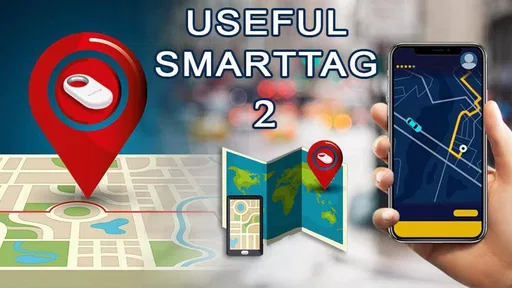
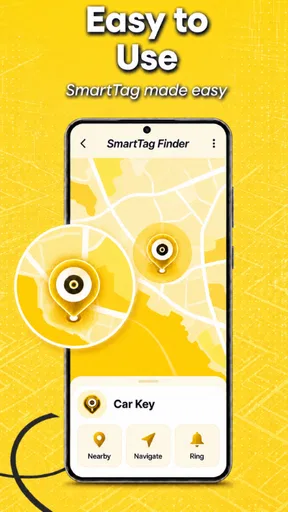
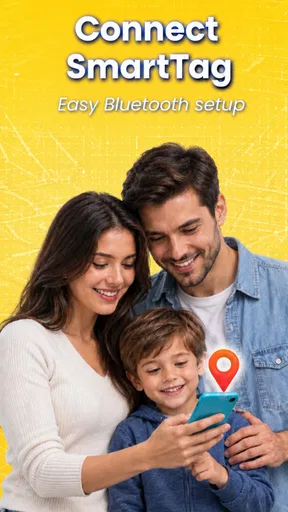
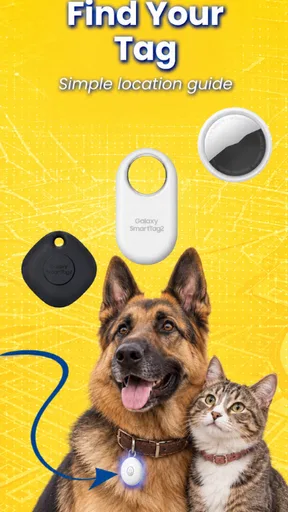
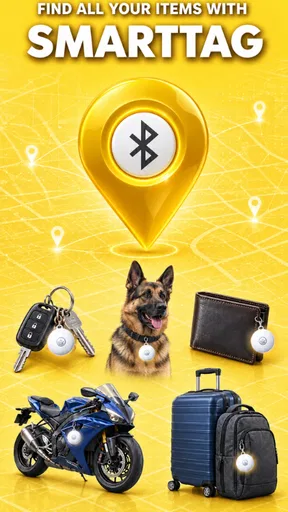
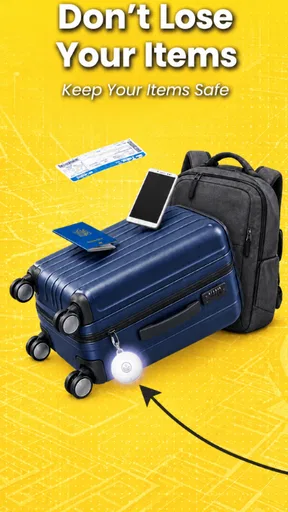
 Analysis by AppCompare
When I consider a tag like this, I start with a practical question: what happens when my phone and the tag are not in the same place, or when the connection is less than ideal? The Samsung Galaxy SmartTag is meant to help with finding belongings, but the usefulness of any connected finder depends on the situation around it. I’d treat it as a way to make everyday searches easier, not as a guarantee that every misplaced item can be located at any moment.
What the connection can and cannot do for you
The app is in the Libraries & Demo category, and its central job is to help connect with and find Smart Tag 2 devices. That focus makes it more specialized than a general device-management app: you open it because you want to work with a tag, rather than to browse a broad set of unrelated tools. DTFHM is the developer, and the app is free, which makes it straightforward to try if you already have a compatible tag and phone.
It helps to separate two kinds of search. If the tag is close enough for the phone to interact with it, a sound can be more useful than staring at a map; a map is better for orienting yourself when you need to retrace where an item was last seen. I’d check the tag’s sound in a quiet room before relying on it in a noisy station or busy street. A small beep can be easy to miss when there is traffic, music, or conversation around you.
A location display is also a clue, not a live promise. If I notice a tag is not where I expect, I would use its last shown position to plan a sensible search, then look at likely stopping points: a café table, a coat pocket, the car, or the entrance at home. This is more useful than repeatedly refreshing the same screen without changing where I look. The difference matters most when the item has been left behind somewhere public, because a location marker can narrow the search without identifying the exact shelf, seat, or bag.
How it fits different mobile routines
The app makes the most sense for someone already using a Samsung Galaxy phone and a SmartTag 2. If that is your setup, keeping the tag paired with the phone you actually carry is a sensible habit; pairing is only helpful if the device you reach for is the one you use to search. If you regularly switch between phones, or you use a phone from another ecosystem, check compatibility before making a tag part of your daily routine rather than assuming every mobile device will behave the same way.
For keys, I’d use a tag to shorten the familiar search around the front door: check the app, try a sound when I’m nearby, and then search the room with a specific clue instead of turning every cushion over. For a bag that moves between home, work, and transit, the last-location view is more useful as a reminder of where I last had it than as a substitute for keeping it in sight. That distinction keeps expectations realistic and makes the app a helpful backup rather than the whole security plan.
Pet use needs particular care. A tag on a collar may help you look for a pet that has wandered nearby, but I would not treat a consumer tag as a replacement for supervision, a proper identification tag, or a plan for what to do if an animal is genuinely lost. A pet moves, and a location clue can become less useful as time passes. For a dog that spends time off leash or roams far from its owner, a purpose-built pet tracker may be the better choice.
Worth Reading Before You Choose

Flipboard Shows What News Apps Must Do Beyond the Feed

Switching to Android Auto Means Rethinking Your Driving Routine

Google Calendar Makes a Crowded Week Easier to Manage

Ludo King Makes the Most of the Minutes Between Plans

Baby Panda World Brings Quick Play to Modern Phones, but Its Game Library Feels Busy

ESPN’s Live Game View Makes Following Close Games Easier
Recovery habits that save time
When a tag does not appear where I expect, I would first check the simple things: am I using the phone it was paired with, is the tag still attached to the item, and have I looked at the displayed location rather than assuming it is current? Then I’d move to a place where I can search calmly and try the sound if the tag is close. These steps are not glamorous, but they prevent a moment of panic from turning into a string of taps that do not change the search.
It is also worth deciding in advance what each tag is for. A tag on a key ring is easy to identify and likely to stay with one item; a tag moved between luggage, a backpack, and a coat can be harder to keep track of if you forget where you attached it. I’d give each one a consistent role and check that it remains attached after changing bags or cleaning. That small routine reduces the chance of finding the tag but not the thing you meant to locate.
Connectivity is the main trade-off. If a tag is out of reach or its location information is not fresh, the app may give you a lead rather than an immediate answer. That is still useful, but it calls for a search plan and patience. People who need dependable, continuous tracking for valuable equipment, a vehicle, or a person should compare dedicated tracking options instead of expecting a small item finder to cover those needs.
Getting Started with the SmartTag
First things first, let’s talk about the setup. The Samsung Galaxy SmartTag is surprisingly easy to get started with. You just need a Samsung Galaxy phone, and you’re all set to go. Pairing it with the SmartThings app is a breeze, and you’re ready to track all those pesky items that seem to have a mind of their own. I mean, who knew my keys enjoyed hiding under the couch?
Once you have it paired, you can attach the SmartTag to pretty much anything you want. I put mine on my dog’s collar, and it’s been a game-changer for those park visits. The peace of mind knowing I can track him is truly something.
Features That Stand Out
Now, let’s dive into what makes the SmartTag tick. The standout feature for me is the ability to locate items using your smartphone. With just a tap, you can make the tag beep, guiding you to the misplaced item. It's almost like having a personal assistant who never gets tired of helping you find things.
The app also offers a nifty feature that shows the last known location on a map. This is super handy for those times when you’re out and about and can’t remember where you dropped something. Trust me, I’ve had my fair share of those moments.
Another cool aspect is its compatibility with other SmartThings devices. You can use it to automate tasks, like turning on the lights when you get home. It’s like living in a futuristic movie, but it’s happening right in your living room.
Battery Life and Durability
Let’s be real, nobody wants a gadget that needs constant charging. Fortunately, the SmartTag doesn’t disappoint in this area. It boasts a battery life that can last up to a year. Yes, you heard that right, a whole year! Plus, replacing the battery is as easy as pie.
Durability-wise, it’s designed to withstand a bit of rough handling. Whether it’s attached to your backpack or your pet’s collar, it’s built to handle everyday situations without a hitch. I’ve accidentally dropped mine a couple of times, and it’s still going strong.
Is It Worth the Hype?
So, is the SmartTag worth it? In my experience, absolutely. It’s a fantastic tool for anyone who’s a bit scatterbrained or just wants that extra layer of security for their belongings. The convenience and ease of use it offers are hard to beat.
Whether you’re someone always misplacing things or you’re just tech-curious, the SmartTag is definitely worth checking out. It’s not just a gadget; it’s a little helper that makes life just a tad bit easier.
And there you have it, my two cents on the Samsung Galaxy SmartTag. It’s small, it’s smart, and it’s ready to help you keep track of the things you love. If you’re tired of playing hide and seek with your stuff, give it a whirl. You might just wonder how you ever lived without it!
Choosing it over other ways to find things
Compared with a simple key hook, a written checklist, or making a habit of putting belongings in one place, a tag adds a way to search after an item has already wandered off. Those no-cost habits are still better for preventing lost keys in the first place; the tag is most valuable when prevention fails. Compared with a general Bluetooth finder, this app is a more natural fit for people already committed to Samsung’s phone and SmartThings setup. If your household uses another phone ecosystem, a tracker designed for that ecosystem may be easier to share and manage.
I would also think about the object before attaching a tag. It is a practical match for keys, a backpack, or luggage that you want to locate after setting it down. It is less compelling for something that rarely gets misplaced, or for an item whose value requires a more robust recovery plan. A tag can reduce the time spent searching, but it does not prevent theft, secure the object, or guarantee that a person who finds it will return it.
A useful routine for travel and shared spaces
Imagine leaving a bag at a café after moving to another table. I’d open the app as soon as I noticed, use the location view to orient myself, and call the café rather than assuming the map alone settles the matter. If I were still nearby, I’d try the sound and check the places where I had sat or placed the bag. That combination of digital clue and ordinary follow-up is more realistic than expecting the app to do all the recovery work.
For travel, I’d attach the tag securely before leaving home and make sure I know which bag it belongs to. A tag is most useful when its role is clear: one attached to a suitcase can help distinguish a last-known location from a vague memory of where the suitcase was last seen. It should sit alongside basic precautions such as keeping valuables close and labeling luggage, not replace them. If a tag comes loose inside a bag, it may still help locate the bag, but it will not tell me whether the item I care about is still packed inside.
Privacy, expectations, and the right fit
Because this is a connected accessory, I would consider the privacy of the places and belongings I choose to track. I’m comfortable using a tag for my own keys or bag, but I would not secretly attach one to someone else’s property or use it to monitor a person. A tracker should solve a practical problem with the owner’s knowledge, not become a substitute for consent or communication. For shared household items, agreeing who keeps the paired phone and who is responsible for checking the tag can prevent confusion later.
The app is free and rated for Everyone, and it has a 3.5 average from around 292 ratings, with over 10,000 installs. It was released on May 5, 2023, and version 22.0 supports Android 7.0 and later. Those details make it accessible to many Android users, though the Samsung Galaxy phone requirement described in the setup remains the key compatibility consideration. I’d check that the app and tag suit the phone I plan to use before building a routine around them.
My bottom line is that this is best for someone who already uses a Samsung Galaxy phone and wants a quick way to search for a few frequently misplaced belongings. It is less suited to anyone expecting continuous, guaranteed tracking, broad phone compatibility, or a replacement for attentive pet care. The app’s value comes from pairing a nearby sound or a location clue with a sensible search, and that is a modest but genuinely useful role when I keep its limits in mind.
Pros
- Easy setup with Samsung devices.
- Accurate location tracking capabilities.
- Long battery life up to a year.
- Compact and lightweight design.
- Integration with SmartThings app.
Cons
- Limited compatibility with non-Samsung phones.
- No waterproofing feature.
- Requires a Samsung account.
- Limited range without network.
- No built-in speaker for alerts.
FAQs for Samsung Galaxy SmartTag
What is the primary function of the Samsung Galaxy SmartTag?
The Samsung Galaxy SmartTag is primarily designed to help users locate their belongings with ease. By attaching the SmartTag to items like keys, bags, or even pets, users can track their location using the SmartThings app on their smartphone. The device uses Bluetooth technology to communicate with the phone, making it easier to find misplaced items.
How does the Samsung Galaxy SmartTag work with the SmartThings app?
The SmartTag works seamlessly with the SmartThings app by using Bluetooth Low Energy (BLE) to connect to your smartphone. Once linked, the app allows you to see the last known location of the tag on a map. Additionally, it can trigger a sound on the SmartTag to help locate items nearby, and offers options to set up automation tasks when the tag is detected.
Is the Samsung Galaxy SmartTag compatible with all smartphones?
While the Samsung Galaxy SmartTag is designed primarily for Samsung Galaxy devices, it can also work with other Android phones that support Bluetooth and have the SmartThings app installed. However, some features might be limited on non-Samsung devices, so it's recommended to use it with a compatible Samsung phone for the best experience.
What is the battery life of the Samsung Galaxy SmartTag, and can it be replaced?
The Samsung Galaxy SmartTag boasts a long-lasting battery life of up to a year, depending on usage. It is powered by a standard CR2032 coin cell battery, which is replaceable. This ensures that users can continue to use the device without interruption by simply replacing the battery when needed, making it a convenient and sustainable option.
Can the Samsung Galaxy SmartTag be used for geofencing or automation tasks?
Yes, the SmartTag can be used for geofencing and automation tasks through the SmartThings app. Users can create custom routines that trigger specific actions when the SmartTag enters or exits a predefined area. This feature is particularly useful for home automation, allowing users to set actions like turning on lights or adjusting the thermostat automatically.


